Coding Compendium
A free 100-page ebook collecting my projects and tutorials for Raspberry Pi, micro:bit, Scratch and Python. Simply join my newsletter to download it.



Make your site easier to use with these nifty routines
Used carefully, these scripts will enable your visitors to get around your site more easily. But make sure that your site is still perfectly navigable with Javascript switched off.
You're allowed to include these scripts on your website for free. A link to this site would be appreciated but is not required. Please note that other content on this website cannot be reproduced without permission. More copyright information
At a glance:
I've changed the pages referred to in this example so that it's live. In the magazine I talk about pages about different bands, but you can use this to access different parts of this section of the site from here. For convenience, the number of links is kept small here:
This script diverts you to a different page when you press a key. Press the H key now to go to the webdesign homepage.
Paste this code into the HEAD of your HTML document. To add other keys, just add new pairs of lines that define the key letter (always lower case for the script to work) and the website address to divert to.
This script takes the website address and turns it into a list of hierarchical links to help visitors climb back up the tree. Make sure that folders and files are sensibly named, and include a default file (usually index.htm or index.html) in each subdirectory which is the menu for that section. This is what it looks like:
You are here
If you're using frames to display your navbar, visitors will be lost if a search engine drops them at a page without its surrounding frame. Use this code to plop them back where they belong:
© Sean McManus. All rights reserved.
Visit www.sean.co.uk for free chapters from Sean's coding books (including Mission Python, Scratch Programming in Easy Steps and Coder Academy) and more!
A free 100-page ebook collecting my projects and tutorials for Raspberry Pi, micro:bit, Scratch and Python. Simply join my newsletter to download it.
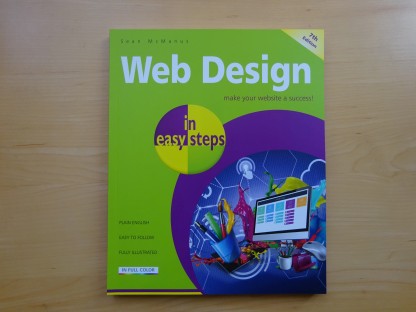
Web Design in Easy Steps, now in its 7th Edition, shows you how to make effective websites that work on any device.

Power up your Microsoft Excel skills with this powerful pocket-sized book of tips that will save you time and help you learn more from your spreadsheets.
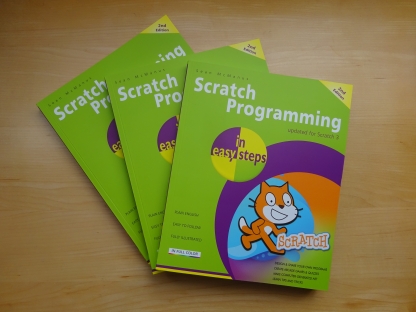
This book, now fully updated for Scratch 3, will take you from the basics of the Scratch language into the depths of its more advanced features. A great way to start programming.
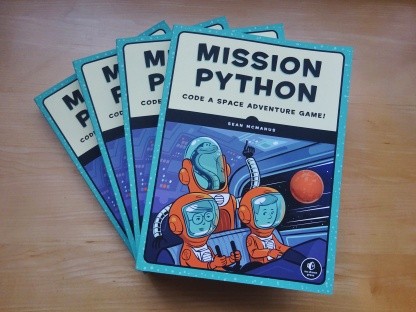
Code a space adventure game in this Python programming book published by No Starch Press.
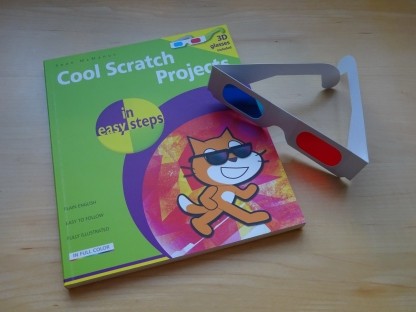
Discover how to make 3D games, create mazes, build a drum machine, make a game with cartoon animals and more!
 Top | Search | Help | Privacy | Access Keys | Contact me
Home |
Newsletter |
Blog |
Copywriting Services |
Books |
Free book chapters |
Articles |
Music |
Photos |
Games |
Shop |
About