
Coding Compendium
A free 100-page ebook collecting my projects and tutorials for Raspberry Pi, micro:bit, Scratch and Python. Simply join my newsletter to download it.



Curious about how to customise the icon shown with your website address or are you here because your server reports that favicon.ico is the most popular missing file on your site?
On this page, I'll tell you how I made the favourites icons on the various pages of my site. In this screengrab of my homepage in Internet Explorer, the icons are ringed in red:
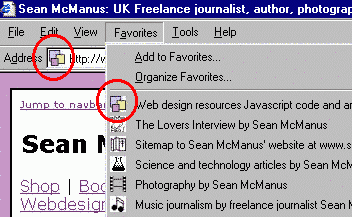
Screenshot showing the favourites icon in the address bar and favourites list in Internet Explorer
It's a Microsoft invention. Internet Explorer will look for it when someone visits your site. If it's there, it'll be shown as the icon in the address bar with your URL. If it's not there, the browser shows IE's default picture of a piece of paper with an 'e' on it. It will also show with your webpage title in the favourites list. Visitors can drag the icon out of the address bar onto their desktop to have a link to your site there too and the logo is used there at double size.
Favicon.ico is now recognised by Netscape as well.
<LINK REL="SHORTCUT ICON" HREF="https://www.sean.co.uk/favicon.ico">
But linking to your own icon, obviously. When you link to your icon like this, you can give it a different name to favicon.ico and can have lots of different favourites icons for different pages on your site by linking to different icons from each page. I've created different icons for several sections of my site, as the screenshot above shows. You need to include the appropriate LINK REL code on each webpage of your site, so incorporating it in a template can make your life much easier.
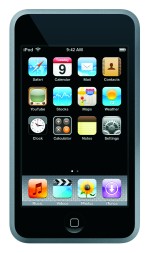 The Safari browser in the iPod Touch and iPhone enables users to bookmark sites that appear as icon shortcuts in the interface, like those shown in the photo on the right. In Apple's jargon, they're called 'web clip bookmarks'.
To set one up for your site, you need to create an image file that is 57x57 pixels, and save it as a PNG file. Then upload it to the root of your website (where your default webpage, such as index.htm is stored) with the filename apple-touch-icon.png. The iPod Touch or iPhone will put a glassy overlay on it to make it look like an Apple icon.
If it's not working, or if you want to have different icons for different pages, you can add a link to the icon, similar to how you link to the normal favicon:
<LINK rel="apple-touch-icon" href="customIcon.png">
...where customicon.png is the filename of your custom icon, including its path if necessary.
© Sean McManus. All rights reserved.
Visit www.sean.co.uk for free chapters from Sean's coding books (including Mission Python, Scratch Programming in Easy Steps and Coder Academy) and more!
A free 100-page ebook collecting my projects and tutorials for Raspberry Pi, micro:bit, Scratch and Python. Simply join my newsletter to download it.

Web Design in Easy Steps, now in its 7th Edition, shows you how to make effective websites that work on any device.

Power up your Microsoft Excel skills with this powerful pocket-sized book of tips that will save you time and help you learn more from your spreadsheets.
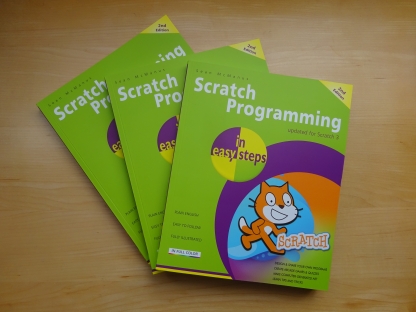
This book, now fully updated for Scratch 3, will take you from the basics of the Scratch language into the depths of its more advanced features. A great way to start programming.

Code a space adventure game in this Python programming book published by No Starch Press.
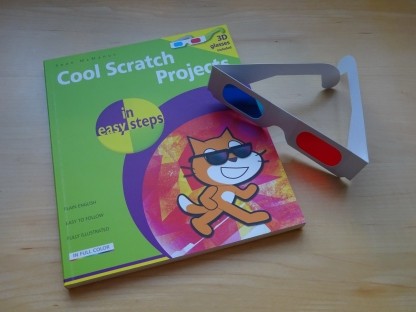
Discover how to make 3D games, create mazes, build a drum machine, make a game with cartoon animals and more!
 Top | Search | Help | Privacy | Access Keys | Contact me
Home |
Newsletter |
Blog |
Copywriting Services |
Books |
Free book chapters |
Articles |
Music |
Photos |
Games |
Shop |
About