Coding Compendium
A free 100-page ebook collecting my projects and tutorials for Raspberry Pi, micro:bit, Scratch and Python. Simply join my newsletter to download it.



I hope that everyone will be able to access this website and enjoy its content. It has been designed to work across a wide range of browsers and platforms. With this latest design, the site design has been made responsive so it works better on mobile devices, although you may still experience issues with some older content on mobile devices.
Tap the tab key when the page loads to call up links to skip the header, jump to the navigation, and access this help page. You can select links in turn using the tab key, and can use the enter key to follow them.
This site has been designed to work with browser accessibility features where possible. You should be able to change the font size using your browser controls, for example. For detailed instructions, I recommend you visit the BBC's My Web My Way website.
If Internet Explorer is your browser of choice (or inertia), Microsoft's accessibility help pages might be useful reading.
You can use standard accesskeys to navigate to some of the most important pages on this site. In the Chrome browser, for example, you can use Alt together with an accesskey to jump to a web page or part of it. The supported accesskeys are as follows:
Find out more about accesskeys here.
The Javascript games depend on being able to update graphics on the screen in real time and so are unlikely to work with screenreaders, and may also not work well on mobile devices with small screen sizes. Where possible, I've made them playable using the keyboard.
Some of the website design examples use third party content or plug-ins which may present accessibility problems that are outside of my control.
My Travel Photography map uses Google Maps. More information, including keyboard controls, is available at the Google Maps Help page. The same content is available without using the travel map by going through the menus for my travel photos.
I'd welcome any feedback from anyone using assistive devices to visit this site. I am working to make this site as accessible as possible. Please notify me of suggested improvements and tell me about problems you encounter using this site.
© Sean McManus. All rights reserved.
Visit www.sean.co.uk for free chapters from Sean's coding books (including Mission Python, Scratch Programming in Easy Steps and Coder Academy) and more!
A free 100-page ebook collecting my projects and tutorials for Raspberry Pi, micro:bit, Scratch and Python. Simply join my newsletter to download it.
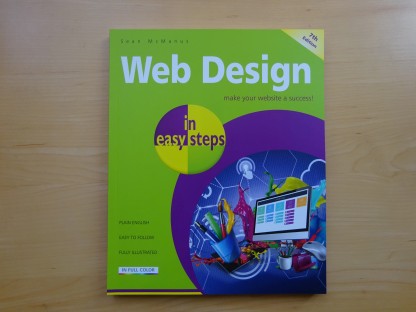
Web Design in Easy Steps, now in its 7th Edition, shows you how to make effective websites that work on any device.
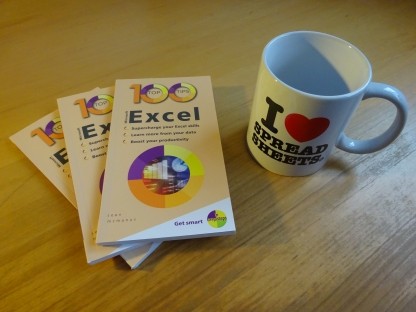
Power up your Microsoft Excel skills with this powerful pocket-sized book of tips that will save you time and help you learn more from your spreadsheets.
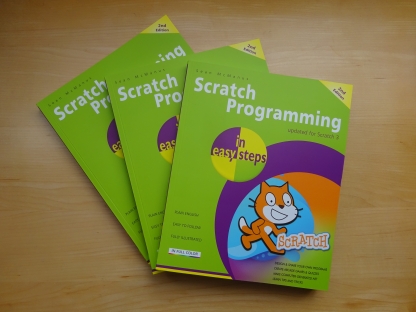
This book, now fully updated for Scratch 3, will take you from the basics of the Scratch language into the depths of its more advanced features. A great way to start programming.
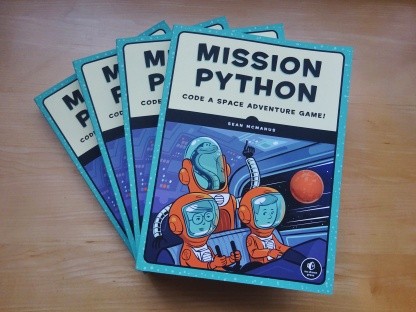
Code a space adventure game in this Python programming book published by No Starch Press.
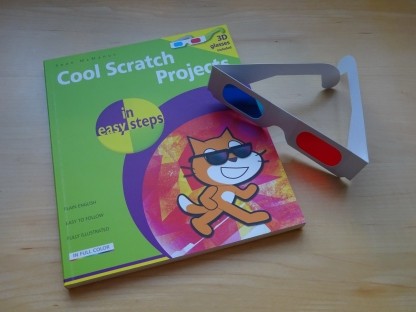
Discover how to make 3D games, create mazes, build a drum machine, make a game with cartoon animals and more!
 Top | Search | Help | Privacy | Access Keys | Contact me
Home |
Newsletter |
Blog |
Copywriting Services |
Books |
Free book chapters |
Articles |
Music |
Photos |
Games |
Shop |
About