


Nintendo DS mini-site launched
04 March 2007
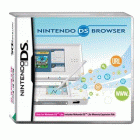 Yesterday I got the Nintendo Browser by Opera for my DS Lite (you need a different version if you've got non-lite DS). Using it, you can browse the web over a wi-fi connection.
It's not without its limitations - there's only so much you can do with a maximum screen width of about 230 pixels. But Opera provides a couple of different browsing modes to get around the limitations. One enables you to move a magnifier around the screen to view zoomed-in content on the top screen. The other linearises tables and other content for small screen rendering. You soon become adept at switching between the small screen rendering and overview modes, and at swapping the top and bottom screens over so you can use the touchscreen for zooming or clicking on links.
It's painfully slow to begin with - slower even than dial-up. But once you've adjusted your expectations and stop trying to go through gee-whizz graphics heavy sites, it's a great experience. The BBC News light site is particularly strong, and the accessible rail timetable works well too. Blogs are easy enough to surf, being mostly based on simple templates. Amazon.co.uk is a bit cluttered in SSR mode, but appears fully functional. You learn to filter out the navigation detritus and see through to the content.
Many sites fail, mostly sites using clever web 2.0 techniques to refresh within the page. You can't even log in at Blogger, and I was disappointed that tadalist and twitter didn't work. Those three would have been ideal mini-applications for a handheld.
That said, most straight Javascript does work. My simpler Javascript games worked just fine. Where sites have been designed to be accessible (which is, in any case, best practice and a legal requirement), they should work okay on the DS.
The Opera browser is an essential addition for anyone with a DS. It's worth sorting out a wi-fi connection for.
To learn more about designing for the platform, I've built a Nintendo DS microsite. You can access it at www.sean.co.uk/nds. It includes my top 10 games for the platform, and customised versions of my Hangman and Misfit games which I'm quite proud of getting working so smoothly. There's also a portal I've made providing quick access to Google, a dictionary, a cartoon and a handful of other sites. Let me know (in the comments) if there are any other sites that you'd like to see added to the portal, and that work well on the DS. And if you've got a DS and Opera, let me know your thoughts on the mini-site. When I get time, I'll write about what I've learned about designing for the platform.
Labels: games, nintendo, technology, webdesign

Comments

The DS browser just came out in the US today and, being curious, I bought a copy. I'd actually stumbled across your site earlier when looking for info on the browser, but it was nice to see how well it actually works on the device it's intended for. The hangman game is fun and well-implemented; I haven't checked out the other one yet. Keep up the good work!
therealbenni at gmail
therealbenni at gmail

Thanks for your feedback. Perhaps now the browser is available in the largest English-speaking market, there will be sufficient incentive for webmasters to cater for the DS. Although, to be fair, most people will run the NDS as a second browser so businesses probably won't lose sales through incompatibility.
Here's a simple video (only) player demo I just created specifically for the DS browser:
http://www.vfx.com/ds/video.asp
Be prepared to wait a long time if you choose an FPS setting higher than 3 or 4 on a Nintendo DS, as it will take longer to download the extra frames.
This demo wasn't intended to work on a PC although it does work great in Opera and Firefox at higher FPS settings.
Note: Video playback is achieved by quickly swapping several still frame images. The demo doesn't include any audio because (to my knowledge) there's no built-in Javascript interface in the browser that supports it.
http://www.vfx.com/ds/video.asp
Be prepared to wait a long time if you choose an FPS setting higher than 3 or 4 on a Nintendo DS, as it will take longer to download the extra frames.
This demo wasn't intended to work on a PC although it does work great in Opera and Firefox at higher FPS settings.
Note: Video playback is achieved by quickly swapping several still frame images. The demo doesn't include any audio because (to my knowledge) there's no built-in Javascript interface in the browser that supports it.
That's a great proof of concept for how video can be emulated - thanks for sharing it - although my DS struggles to play back faster than about 2fps, even on the higher fps settings.
For some video applications, it's worth remembering that animated GIFs are supported, although they play back more slowly than they do on a PC.
For some video applications, it's worth remembering that animated GIFs are supported, although they play back more slowly than they do on a PC.
I visited your web site today for the first time,and i just like to let you know i think its great! I have book marked your site,so i will be revisiting in the future ;)
luv pixel
luv pixel
Thanks for visiting and for leaving such positive feedback, Pixel. I'll try to update the site in the new year.
Thanks for making this ds friendly site! It's nice to have a site designed to be quickly opened by the ds that can link to so many popular sites (and some games). Thanks!
Thanks for your comment. Thanks too to Gamersege for your comment - Mcafee alerted me about a potentially unwanted program on your website when I visited, so I've rejected your comment as a security precaution. I liked your idea of streaming music from the PC onto the DS. It would be great to see technology for doing that readily available.
I'm looking at the possibility of making the whole of my site more accessible on the DS, particularly the blog, which would be a good and quick way to provide more content, including some Nintendo-relevant blog content. I'll post an update when I have one. To keep updated, please consider subscribing to my RSS feed.
I'm looking at the possibility of making the whole of my site more accessible on the DS, particularly the blog, which would be a good and quick way to provide more content, including some Nintendo-relevant blog content. I'll post an update when I have one. To keep updated, please consider subscribing to my RSS feed.
Hey Sean. Yea um i just got great news Nintendo is in the making of creating a New Ds =). Well i hope this makes your hopes up. Cya around
Post a Comment
Blog Home | Website Home
Dip into the blog archive
June 2005 | July 2005 | August 2005 | September 2005 | October 2005 | November 2005 | December 2005 | January 2006 | February 2006 | March 2006 | April 2006 | May 2006 | June 2006 | July 2006 | August 2006 | September 2006 | October 2006 | November 2006 | December 2006 | January 2007 | February 2007 | March 2007 | April 2007 | May 2007 | June 2007 | July 2007 | August 2007 | September 2007 | October 2007 | November 2007 | December 2007 | January 2008 | February 2008 | March 2008 | April 2008 | May 2008 | June 2008 | July 2008 | August 2008 | September 2008 | October 2008 | November 2008 | December 2008 | January 2009 | February 2009 | March 2009 | April 2009 | May 2009 | June 2009 | July 2009 | August 2009 | September 2009 | October 2009 | November 2009 | December 2009 | January 2010 | February 2010 | March 2010 | Top of this page |